Email Templates
Email Templates let you create standardized email messages that plug into Workflows. Use them for things like onboarding notifications, role change confirmations, and department transfer communications.
Important: Email Templates provide consistent messaging but are only delivered when activated through a Workflow. Templates alone do not send emails.
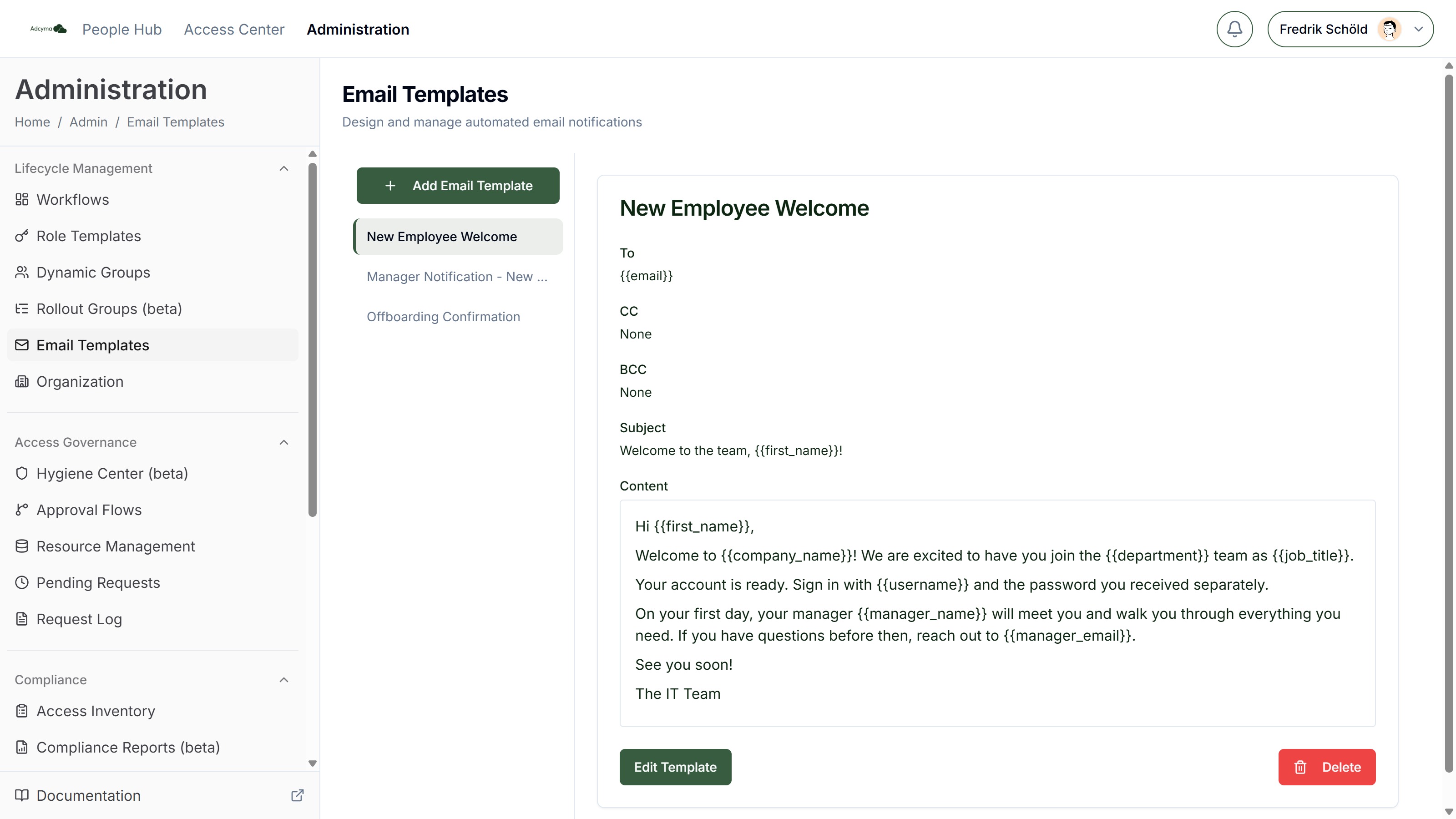
Creating a Template
Each template has the following fields:
Title A label for this template so you can identify it when linking it to workflows.
To / CC / BCC
The recipient fields. You can use {{variable}} placeholders here too, for example {{manager_email}} in the To field to send the email directly to the user's manager.
Subject The email subject line. Supports variables.
Body
The email body. The editor supports bold, italic, underline, bullet lists, and numbered lists. Use the Variable dropdown to insert placeholders at the cursor position, or type them directly as {{variable_name}}.
Preview Toggle Preview to see how the email will look with sample values filled in. This is useful for checking formatting before linking the template to a workflow.
Template Variables
You can personalize templates using these dynamic variables:
User Information
{{first_name}}- User's first name{{last_name}}- User's last name{{username}}- User's system username{{display_name}}- User's display name{{email}}- User's email address{{password}}- User's password (only available for users created via Adcyma; removed after use)
Organizational Details
{{manager_name}}- Direct manager's name{{manager_email}}- Direct manager's email address{{company_name}}- User's company{{department}}- User's department{{job_title}}- User's job title
Example: New Employee Welcome Email
A "New Employee Welcome Email" template might include:
- To:
{{email}} - Subject: Welcome to the team,
{{first_name}}! - Body: Personalized greeting, essential first-day information, and key contacts for IT and HR
When a Workflow triggers this template, each email gets personalized automatically with the right user details.
Get More Variables
If you need additional user attributes for your templates, contact our support team at support@adcyma.com and we'll add the variables you need.